How to Host HTML from Claude, Gemini & Copilot
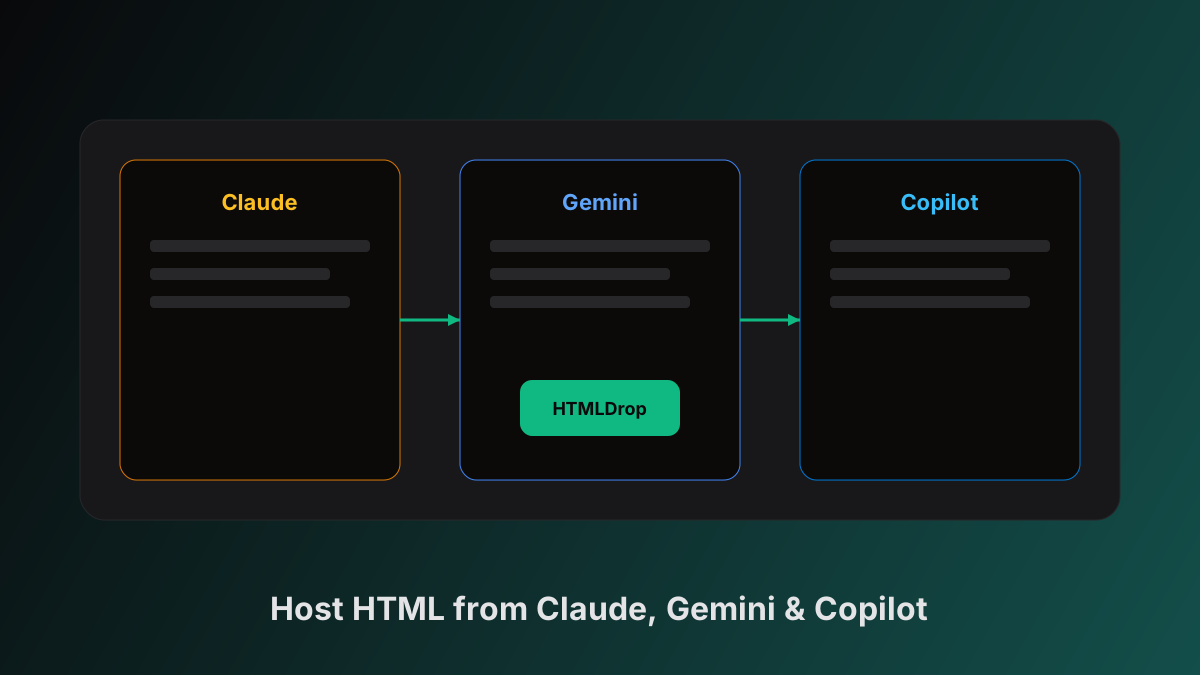
Claude, Google Gemini, and Microsoft Copilot can all produce working HTML pages — landing pages, dashboards, mini-apps, and interactive demos. The generation step is fast. The bottleneck is still the same: getting that HTML onto the web so someone else can open it in a browser.
HTMLDrop is built for that gap. Paste HTML from any of these tools, publish, and share a live link. No repository, no build step, no cloud account required for your first drop.
Try it yourself — paste HTML and get a link in seconds
Open the editor →The workflow is the same for every AI tool
Regardless of which model you use, the publish path looks like this:
- Generate a self-contained HTML page in the AI chat
- Copy the full document (not a snippet)
- Paste into the HTMLDrop editor
- Preview in the split pane — fix layout or JS errors
- Drop It — share
htmldrop.in/p/your-slug
The tool-specific part is step 1: how each product surfaces HTML, and what quirks to watch for when you copy.
Ask any model: “Return a single self-contained HTML file with inline CSS. Include DOCTYPE, html, head, and body. No separate files.”
How to host HTML from Claude
Claude is strong at producing full pages — especially landing layouts, documentation-style pages, and React-free static demos.
Getting HTML out of Claude
Depending on how you use Claude:
- Artifacts — When Claude renders an artifact, open it and copy the source. For HTML artifacts, you get a complete document you can paste directly.
- Code blocks — If Claude returns HTML in a fenced code block, copy the entire block including
<!DOCTYPE html>. - Canvas-style editing — Iterate in the chat (“make the hero wider”, “add a dark mode toggle”), then copy the final version before publishing.
Claude-specific tips
- Claude often splits CSS into a
<style>block — that is fine. Keep it inside the same file. - If Claude gives you React or JSX instead of HTML, ask explicitly: “Convert this to plain HTML with inline CSS, no build step.”
- Claude sometimes uses placeholder images from
picsum.photosor similar — those work with absolute URLs.
Example prompt for Claude
Build a one-page product landing page in a single HTML file.
Inline all CSS. Include a hero, three feature cards, and a CTA button.
Use a modern sans-serif font stack. Mobile-responsive.
Return only the HTML — no explanation.
Paste the result into HTMLDrop and check the preview before sharing.
How to host HTML from Google Gemini
Gemini (in Google AI Studio, the Gemini app, or embedded in Workspace) can generate HTML pages from natural language prompts — useful for quick prototypes and classroom demos.
Getting HTML out of Gemini
- Ask Gemini to “write a complete HTML file” and copy the code block from the response.
- In Google AI Studio, generate a response with code output enabled, then copy the HTML portion.
- If Gemini returns partial markup, follow up: “Combine everything into one downloadable HTML file with inline styles.”
Gemini-specific tips
- Gemini may default to external Google Fonts — link them with absolute URLs (
https://fonts.googleapis.com/...) or ask for system font stacks instead. - Double-check that Gemini included a viewport meta tag for mobile; add one if missing.
- Gemini sometimes truncates long files. If the preview looks cut off, ask Gemini to continue from where it stopped, then merge the sections before publishing.
Example prompt for Gemini
Create a self-contained HTML resume page for a frontend developer.
Use inline CSS, semantic HTML, and a clean single-column layout.
Include sections for experience, projects, and contact.
Output one complete HTML document only.
How to host HTML from Microsoft Copilot
Microsoft Copilot (copilot.microsoft.com, Copilot in Edge, or Copilot in Microsoft 365) can generate HTML for internal demos, training materials, and stakeholder previews — especially in Microsoft-centric workflows.
Getting HTML out of Copilot
- Ask Copilot to generate a web page or HTML file and copy the code from the response.
- If Copilot wraps output in markdown, copy only the HTML inside the code fence.
- For iterative edits, ask Copilot to “update the previous HTML” and copy the latest full version — do not paste partial diffs.
Copilot-specific tips
- Copilot may suggest Azure Static Web Apps or GitHub for deployment — you do not need either for a quick share link. HTMLDrop is faster for one-off previews.
- Copilot sometimes embeds Microsoft Fluent-style classes without loading Fluent CSS. Ask for fully inline styles if the preview looks unstyled.
- Watch for Bing-sourced image URLs — they may expire. Prefer placeholder services or base64 for demos.
Example prompt for Copilot
Write a complete HTML dashboard mockup for a sales team.
Include a sidebar, header, and three KPI cards with sample numbers.
All CSS inline. One HTML file, no external dependencies except Google Fonts if needed.
Paste into HTMLDrop (all tools)
Once you have the HTML on your clipboard:
- Open /drop
- Paste into the editor — the live preview updates instantly
- Scan for broken images, missing closing tags, or JS console errors
- Click Drop It to publish
What works on hosted pages
| Feature | Supported |
|---|---|
| Inline CSS | Yes |
| Client-side JavaScript | Yes |
| CDN frameworks (Tailwind, Bootstrap) | Usually yes — use absolute URLs |
| Server-side code (Node, Python, PHP) | No |
| Databases and auth backends | No |
For AI landing pages, client previews, and hackathon demos, static HTML + client JS is exactly what you need.
Tool comparison at a glance
| Claude | Gemini | Copilot | |
|---|---|---|---|
| Best at | Polished layouts, long-form pages | Quick prototypes, Google ecosystem users | Microsoft/enterprise workflows |
| Typical output | Artifacts + code blocks | Code blocks | Code blocks + deploy suggestions |
| Watch for | React instead of HTML | Truncated long files | Unstyled Fluent markup |
| HTMLDrop steps | Copy → paste → Drop It | Copy → paste → Drop It | Copy → paste → Drop It |
Same hosting path. Different copy step.
Troubleshooting
Preview is blank. Open browser devtools on the preview iframe. Usually a JS syntax error or unclosed tag. Paste the error back into your AI chat and ask for a fix.
Styles missing. External stylesheets may be blocked or URLs may be wrong. Ask the model to inline critical CSS.
Page works locally but not when shared. Relative paths like ./assets/logo.png will not resolve on a hosted URL. Use https://... or embed as base64.
Link expires. Guest drops last 24 hours. Sign in and claim the page to keep it permanently.
Never publish API keys, passwords, or private customer data. Hosted pages are public unless you enable password protection (Pro).
After you publish
- Share the link in Slack, email, Notion, or Linear — recipients need only a browser
- Re-publish after AI edits — signed-in users get version history
- Pick a custom slug (
/p/my-demo) when signed in for cleaner URLs - Switch to Markdown mode if the model outputs
.mdinstead of HTML — see Markdown hosting
Related guides
- How to host HTML from ChatGPT — same workflow, ChatGPT-specific tips
- 5 ways to share AI-generated pages — links, embeds, QR codes
- HTMLDrop vs Tiiny Host — when paste-and-publish beats zip uploads
FAQ
Can I use HTML from v0, Bolt, or Lovable too? Yes. Any tool that exports HTML follows the same paste-and-publish workflow.
Does JavaScript work? Yes — client-side JS runs in the visitor's browser.
Can I host Markdown from these tools? Yes. Switch to Markdown mode in the editor if the AI outputs .md instead of HTML.
How long does the link last? Guest pages expire after 24 hours. Sign in to keep pages on your account.
Got HTML from Claude, Gemini, or Copilot? Paste it in and get a live link in seconds.
Open the editor →Published by HTMLDrop
Practical guides for hosting HTML from AI tools — paste, publish, and share without the deployment overhead.
Get notified when we publish new guides
No spam — just new HTMLDrop tutorials and product updates.
Keep reading
 Tutorials
How to Host HTML from ChatGPT in 10 Seconds
Copy HTML from ChatGPT, paste into HTMLDrop, get a live shareable link. Step-by-step guide with screenshots.
 Guides
Host Your HTML Portfolio Without GitHub or Netlify
Publish a designer or developer portfolio as static HTML — no Git, no build pipeline, no cloud account required.
 Use Cases
5 Ways to Share AI-Generated Web Pages Instantly
Five practical ways to share HTML from ChatGPT, Claude, and Gemini — from paste-and-publish links to embeds and QR codes.